
For a single business, a chain or an agency
Manage the reputation and Google presence of all your businesses
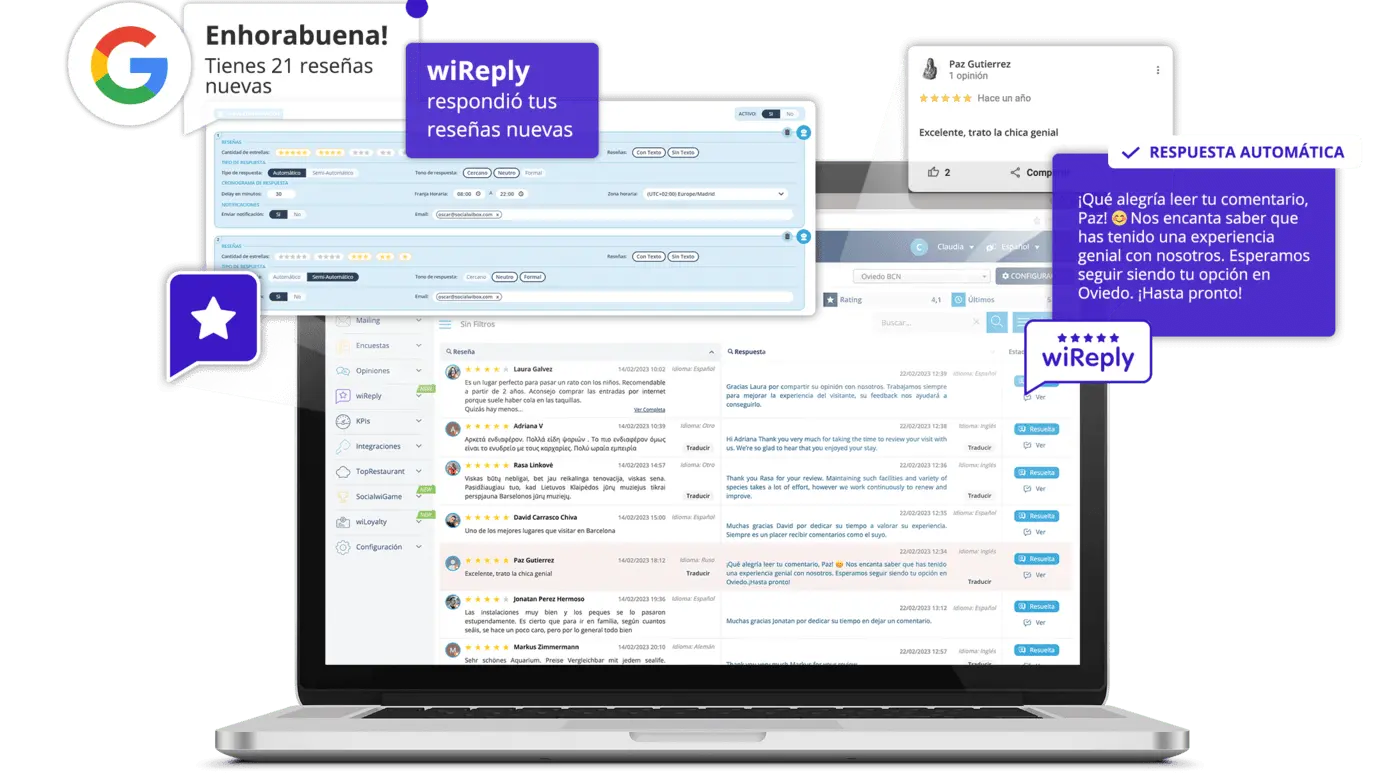

Less repetitive work
Reply, review and share useful insights
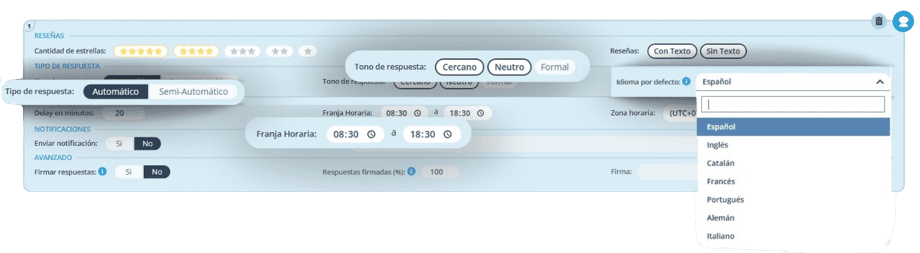

Reply your way
Decide how to reply and when to review a draft first.

See what needs attention
Check the status of your profiles and see how their performance changes over time.

Keep each manager informed
Set up reports so each business receives its own information.
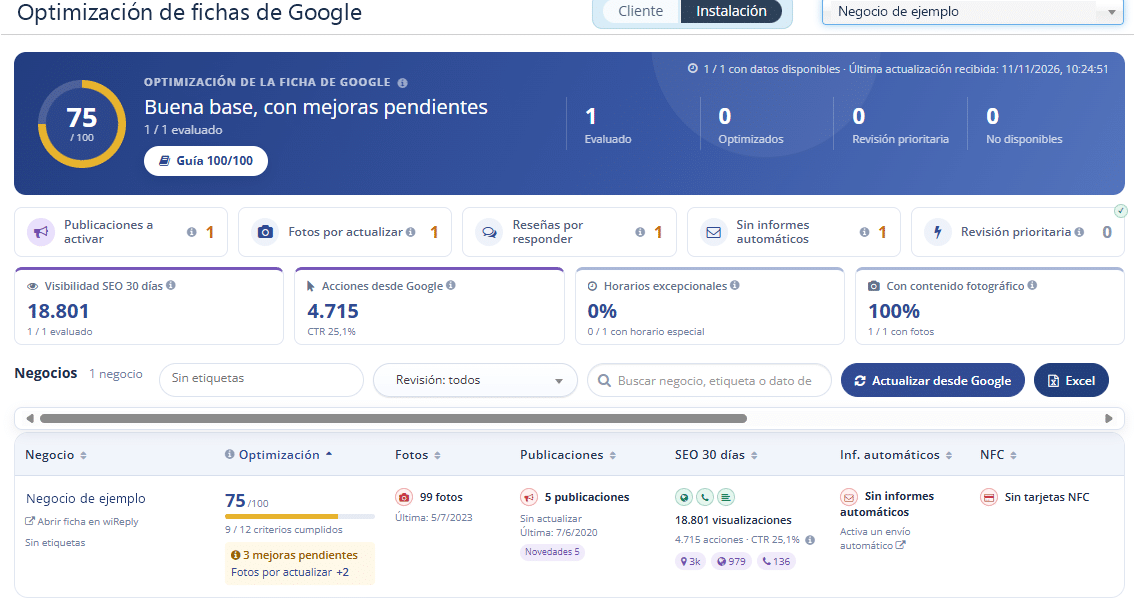
Optimisation and analytics
See what needs attention on each Google Business Profile
Review the assessment of your profiles to identify outstanding items. Check their details, activity and how reviews are handled.
- Check which criteria apply to each business.
- Identify the profiles that need a review.
- Track how their performance changes over time.
- Compare your locations.
- View and share the optimisation report.
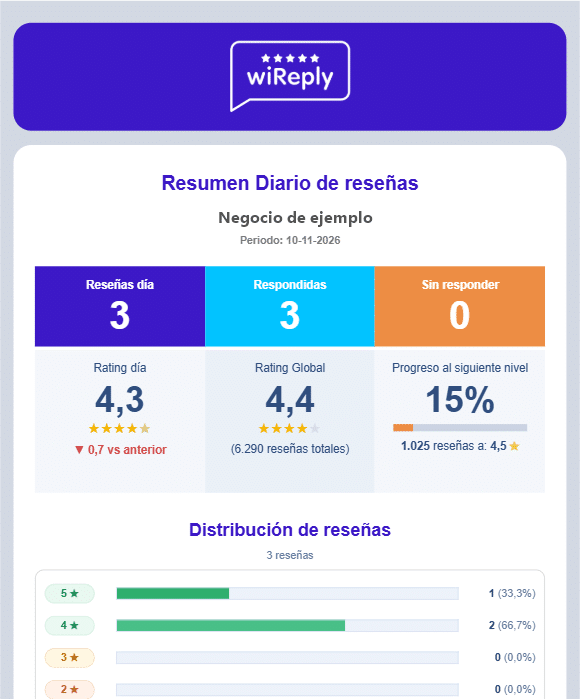
Receive a summary of reviews for each business by email
Keep track of your chips even if you don't enter the panel. Each manager can receive the report for their establishment.
- Check how many reviews have been received, how many have been answered and how many are still pending.
- Review the overall rating, the distribution of reviews, and the progress toward the next score.
- Configures the frequency and the recipients per business.
Manage your Google profile from wiReply
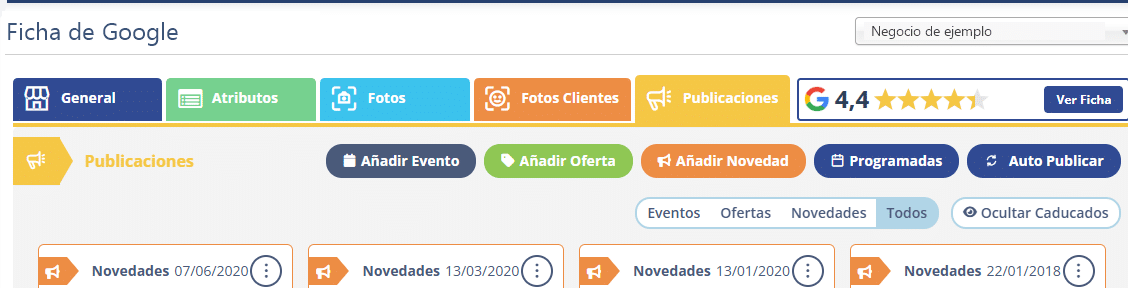
Keep your business’s data, attributes, and photos up to date. Create posts for your profile without leaving the panel.
- Add photos and view the images shared by your customers.
- Create news, offers and events.
- Schedule your posts or automate their publication.
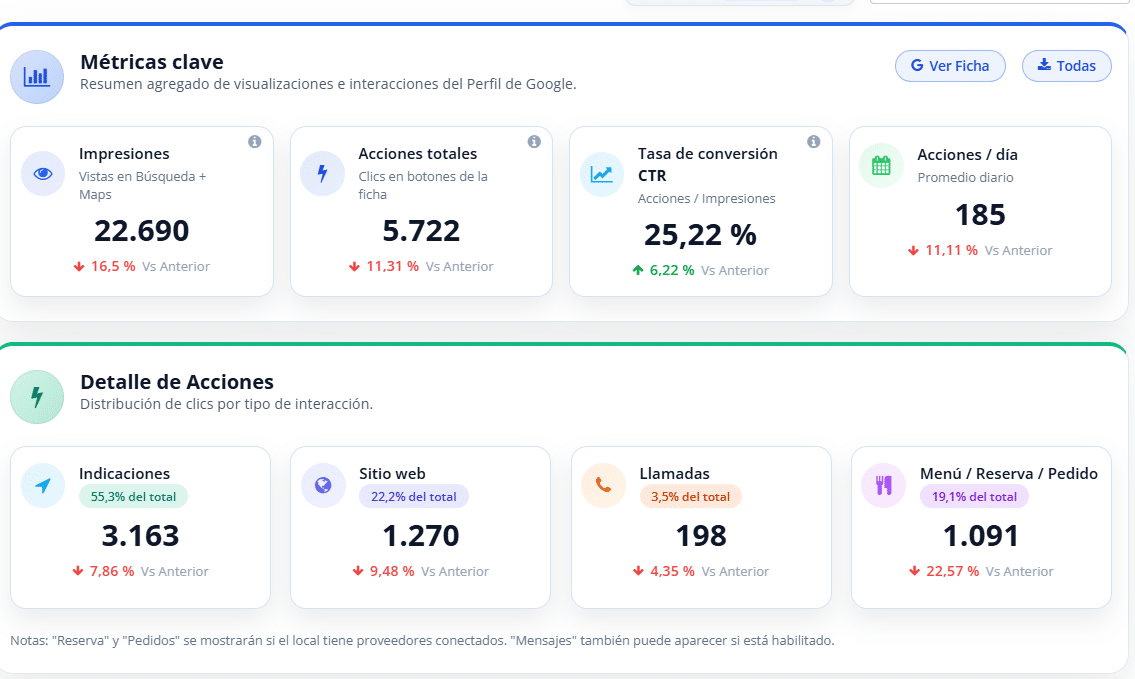
Discover how they find you and what they do when they see your profile
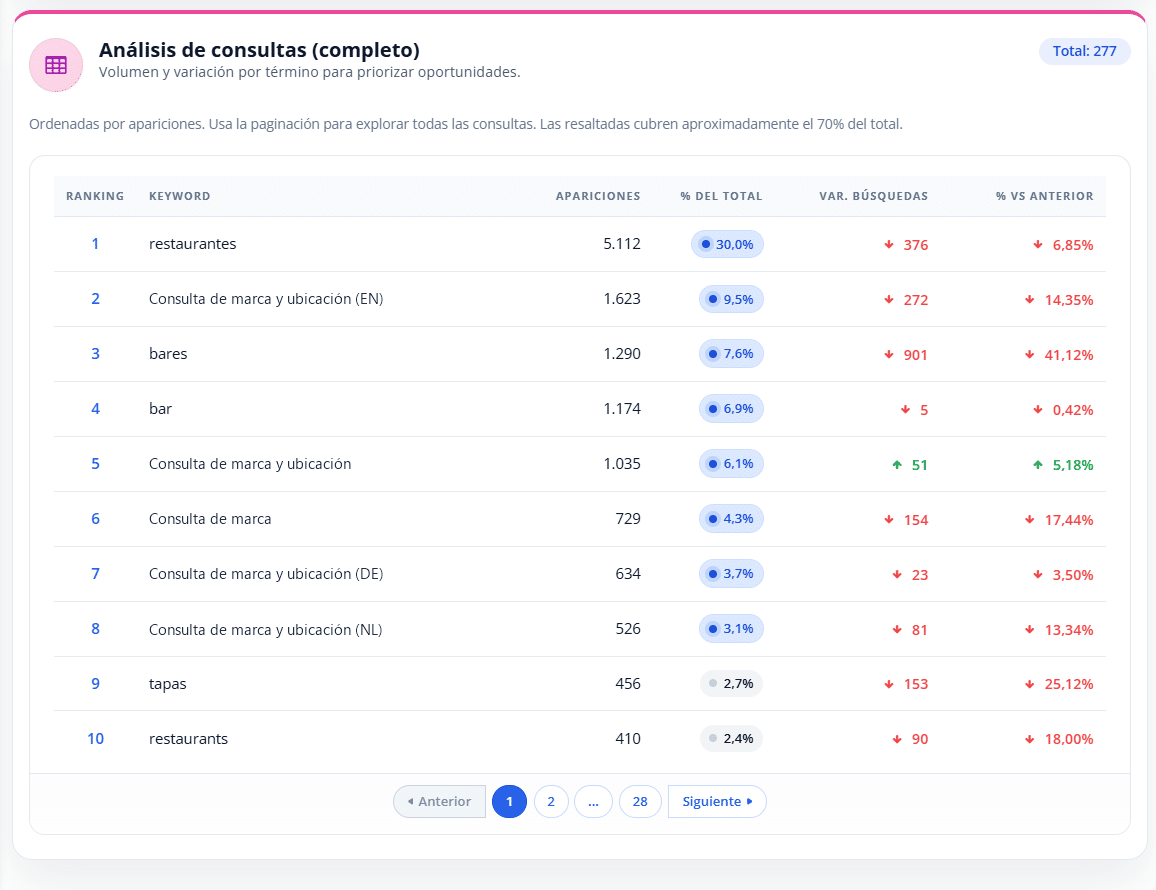
Analyze the visibility of your profile in Google Search and Maps. Compare the performance with the previous period and identify the keywords for which your listing appears.
- View impressions, actions, and click percentage.
- It distinguishes calls, visits to your website, and requests for directions.
- Check the volume and progress of each consultation.
Stay in control of your replies
Automate replies and decide when to step in

Your way of replying
Set the tone to match how each business communicates.

Your rules and schedule
Choose how replies are handled and when they are published.

Review when needed
Review and edit suggested replies in the cases you have configured.

A shared view
View reviews and replies in one place.

wiReply features
wiReply Platform Solutions
Google Business Profiles and optimisation
Keep your business’s data, schedules, photos, and posts in one place. View the evaluation of each listing and review the pending criteria.
Review management and reply controls
Centralizes reviews and configures how to respond with the help of AI. If a review may violate Google policies, consult the team about reviewing the indications and their follow-up.
Reports and comparisons
Receive review reports by email, configure recipients by business, and compare the performance of your locations. Consult the team if you need an assisted analysis of competitors.
Sentiment and alerts
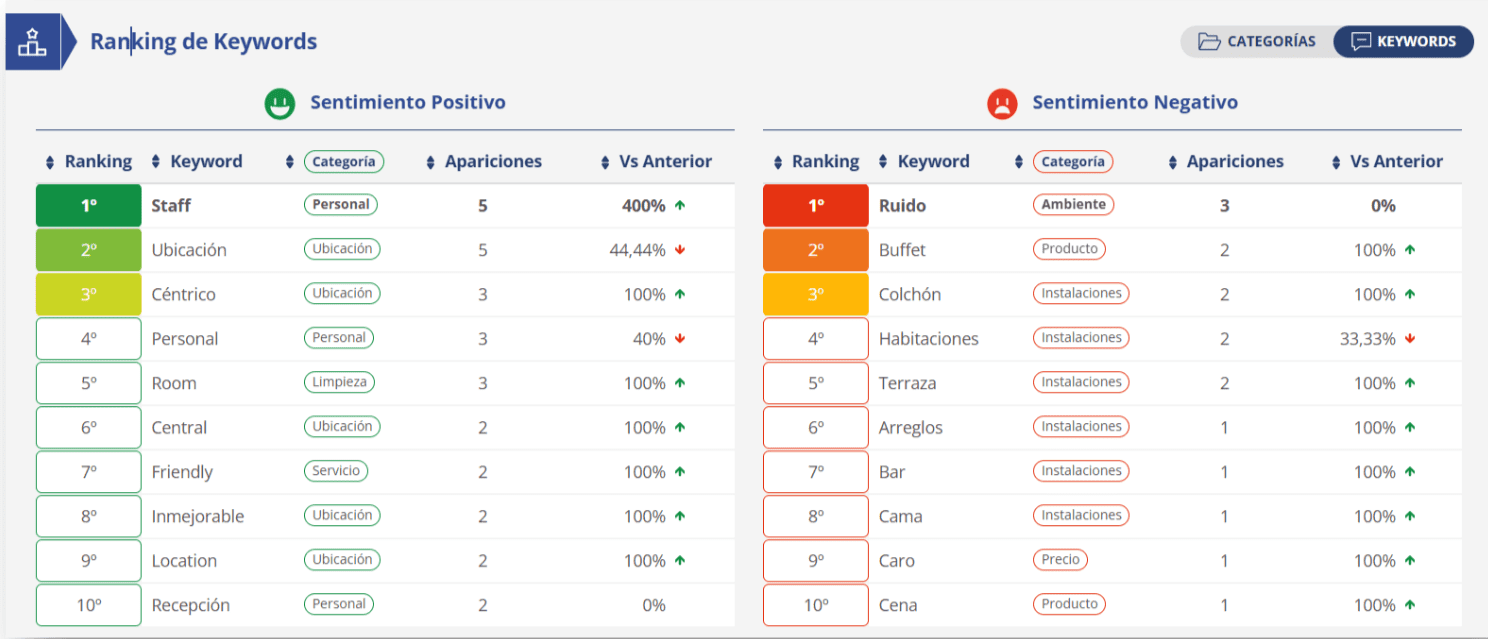
Understand what your customers value and what they criticize. Browse categories and trends and configure sensors based on the options enabled.
Requesting reviews with NFC
It makes it easy for your customers to share their experience with an NFC card or QR code. See the associated uses and reviews according to the available tracking.
Listen to your customers
Understand what’s behind the star ratings
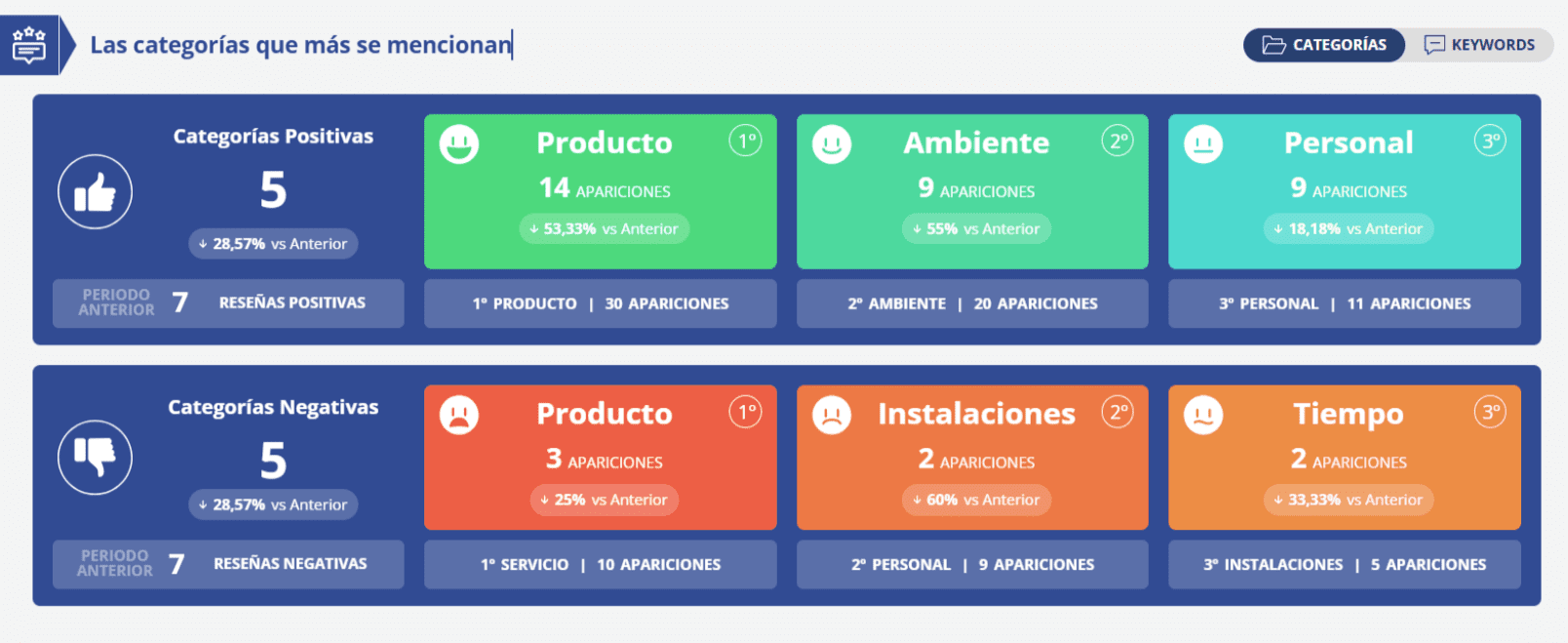
A good score can include a complaint about the wait times. wiReply analyzes the content to recognize issues, nuances, and changes that deserve a review.
What your customers appreciate
Identify the positive themes that come up most often.
Where customers run into problems
Spot the problems your customers mention.
How each business performs over time
View trends by location.
NFC cards with QR codes
Make it easy to leave a review while the experience is fresh
Insert the card into your mobile device or use its QR code. View the activity of your cards and the associated results to understand how the review is requested at each establishment.

Open the configured destination
Tap the card with your phone or scan the QR code to open its destination.
Tracking by card and business
View the available activity for each card.
An invitation open to all customers
Make it easy for anyone to share their experience.
Simple process
Start with one business and set it up the way you need
Connect your business to Google, configure your workflow and view the available reviews, assessment and reports.

1. Create your account and connect your business
Select your business and finish connecting it to Google.
2. Set up your workflow
Review reply settings, permissions and reports for your team.
3. View results and receive updates
Check the available reviews, assessment and reports.
wiReply in practice
Your customers speak. Google is listening. Are you listening?
Experts say:

Search Engine Journal

Trustmary

Originality.ai
And about wiReply:

The Avant-Garde

Digital Journalist

Iberianpress
Reputation and local visibility
Start with one profile and see what you can improve
Check the status of your profile, configure how you reply to customers and view your business results.

Multiple sectors
Customers who already work with us