
Manage your reviews automatically
Replying to Google reviews has never been this quick or easy.
Centralise your Google reviews, automate replies, improve your ranking, and build customer trust — all in one platform.
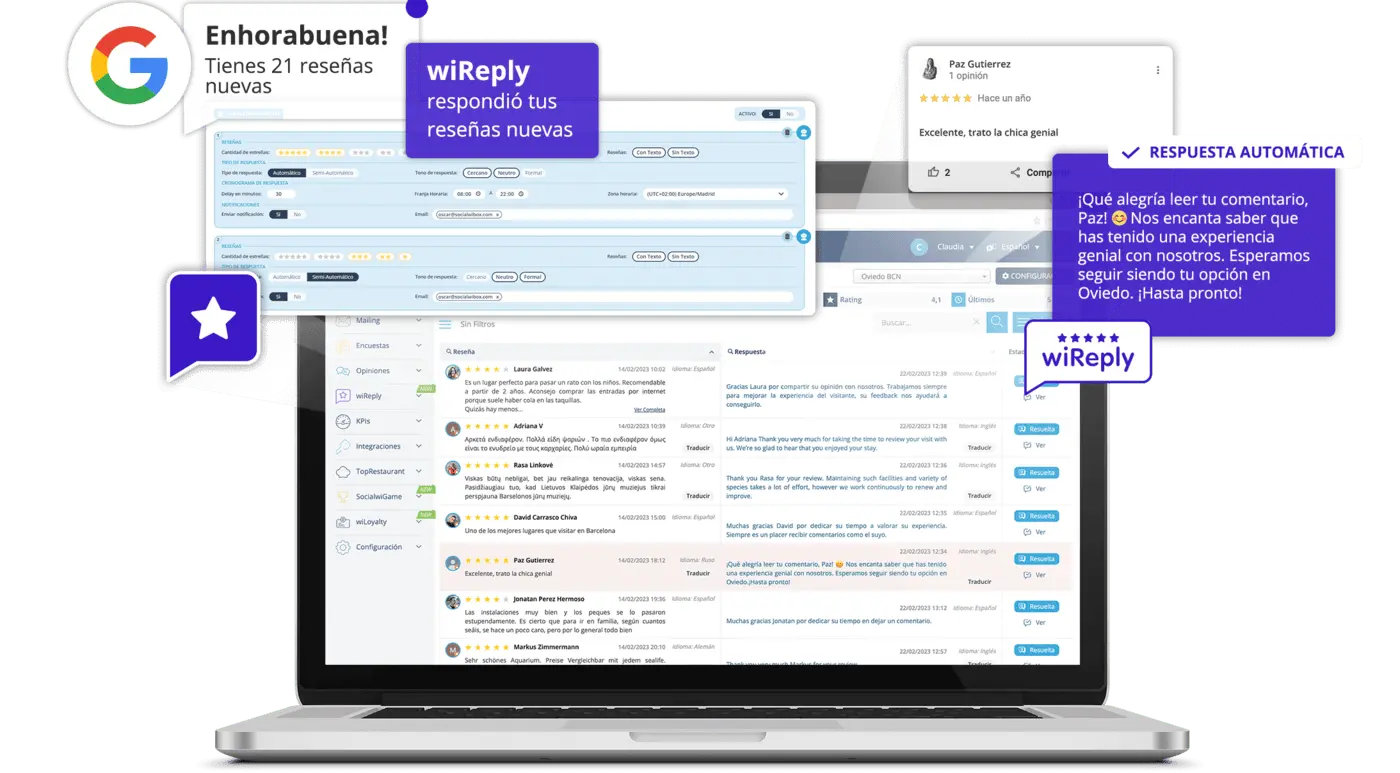

Automate processes
Automate your Google Business Profile
review management and improve your online reputation.

Effortless
Automatically reply to every review
with minimal effort.

Fast
Filter reviews by channel,
date, and sentiment.

Accurate
Export enriched insights and reports in one click.
Intuitive design
Master your reputation with smart analysis
- Period-over-period analysis
- Internal benchmarking across locations
- Predict your next rating
- Automatic sentiment analysis
- Keyword & category trends
Human responses
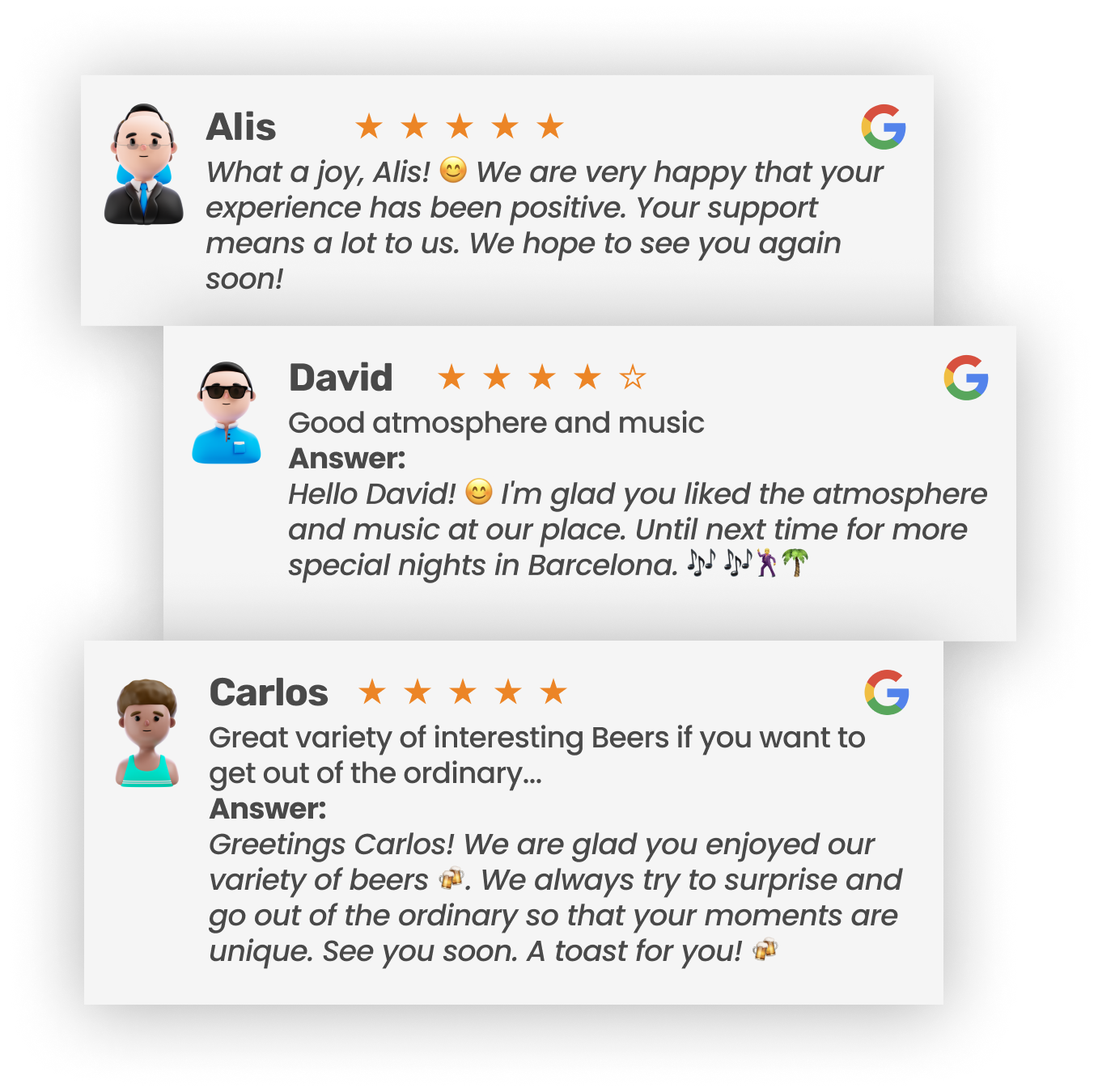
wiReply automatically replies to every review in your own voice.

Automatic responses
Based on the customer’s rating, choose between an automatic reply or two suggested responses and pick the one that fits best.

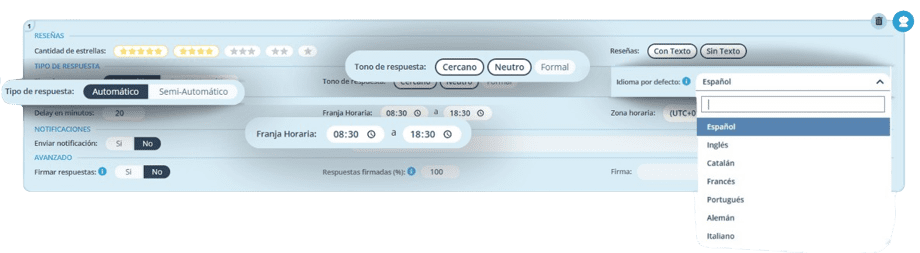
Choose the tone and time frame
Set your reply tone and schedule publishing times (for example, from 8 a.m. to 5 p.m.).

Easy-to-use platform
Our easy-to-use platform centralizes all your Google reviews and responses, making it simple to analyze and filter every review.

Save time
Save time with wiReply’s artificial intelligence and focus on what truly matters: delivering exceptional value to your customers.

wiReply features
wiReply Platform Solutions
Centralised management of Google Business Profile
Manage your Google Business profile from a single dashboard: reviews, photos, events, posts, and more. Automate updates to ensure an attractive, up-to-date image. Boost your local ranking and attract more customers through Google Maps and search.
Automated responses with AI
Reply to all your reviews with personalized AI. Set the tone, filter easily by date or channel, export insights and boost your online reputation effortlessly.
Pro Analytics & Benchmarking
Track key KPIs, analyze by periods and compare your performance across locations. Predict your next Google rating, identify keyword and sentiment trends and receive detailed monthly reports to boost your reputation.
Keyword sensor
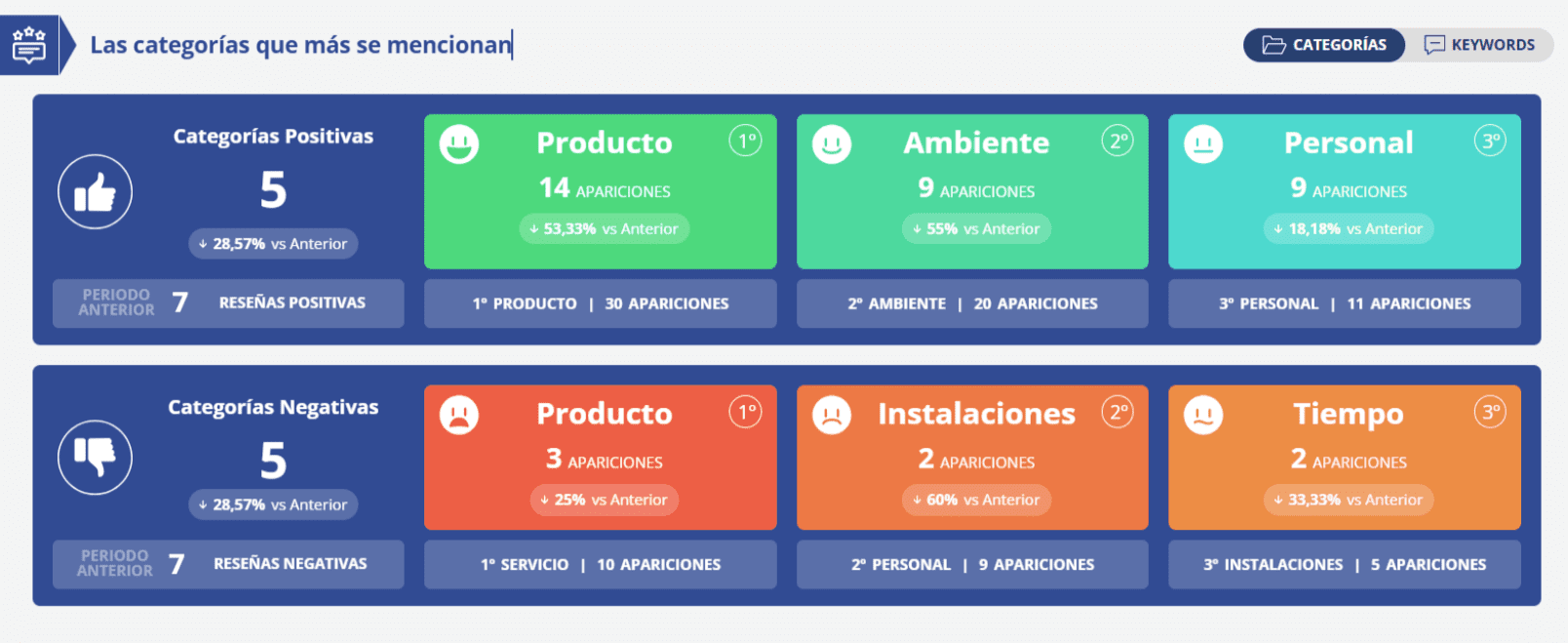
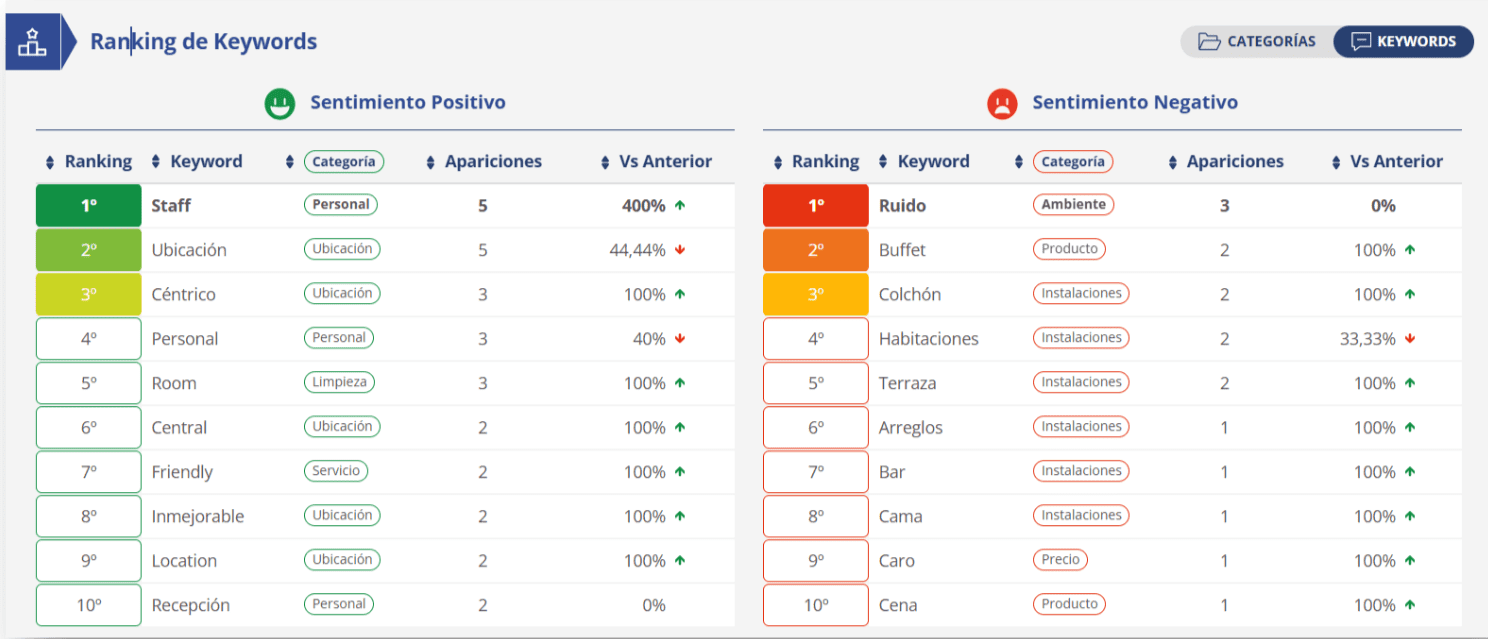
Automatically detect the most used keywords in your reviews and their evolution. Identify highlighted categories, analyse sentiment and discover what your customers value or criticise. Make decisions based on real and actionable insights.
Smart NFC cards
Give your team unique NFC cards so customers can rate your restaurant on Google with a single tap. Each card carries an individual ID, allowing you to track who generated each review. No friction, no searching: just 100% measurable results.
Features
Sentiment analysis
On Google Business Profile, reviews don’t always reflect their real impact through the rating. A 5-star review may include negative comments, while a 2-star review can highlight your business’s strengths. Analyzing the content is key to improving your ranking on Google Maps.
> Local keywords
We detect the most mentioned words in your reviews to understand what your local customers value or criticize.
> Contextual analysis
We categorize each review to understand what is said, on what topic and in what tone.
> Hidden trends
We identify hidden patterns that help you improve your reputation and ranking in Google.
Features
NFC cards for businesses
Get more local Google reviews with a single tap.
With wiReply’s NFC cards, your customers can leave reviews on Google Business Profile in seconds. They just need to tap their phone or scan the QR: no searching for your business, no friction, with real impact on your local ranking.

> Direct access to your Google Business profile
With just one tap, customers can reach your Google Maps review page.
> Tracking by employee or point-of-sale
Each card has a unique number that lets you know who has generated each review.
> Ideal for boosting your local SEO
More reviews mean more visibility in local searches and on Google Maps.
Simple process
How to get started for free
Sign in with your Google account and start managing reviews, analyzing data and automating responses in minutes with the help of artificial intelligence(AI).

1. Log in to your Google Business Profile account.
Click hereand create an account with your business. Then, link your Business Profile on Google in just a click.
2. Check the wiReply settings
Adjust how you want to respond to reviews, both positive and negative. wiReply adapts to your style with artificial intelligence.
3. Start receiving insights quickly
wiReply will respond to new reviews for you while giving you real-time insights on every interaction.
Testimonials
Your customers speak. Google is listening. Are you listening?
Experts say:

Search Engine Journal

Trustmary

Originality.ai
And about wiReply:

The Avant-Garde

Digital Journalist

Iberianpress
Automated solution
Start climbing Google Business Profile rankings

Multiple sectors
Customers who already work with us